Why estate hygiene matters before audits and major changes
Mature Five9 domains accumulate configuration the way warehouses accumulate pallets — skills nobody staffs, scripts nobody calls, DNIS that never landed on a campaign, dispositions that outlived their use case. None of that looks urgent until an audit asks what’s live, a change window touches the wrong dependency, or a cleanup project starts without a map.
Trace is 9Vault’s discovery layer. It reads a completed full backup and reports configuration hygiene signals with coded severities — so you can prioritize cleanup, brief stakeholders, and expand a restore selection from a seed object’s real dependency neighborhood. Findings describe snapshot state, not live call volume or license waste. The language is estate hygiene and configuration cleanup — before audits or major changes, not a migration pitch.
How Trace analyzes a backup
-
Pick a completed full backup
Open Trace from the Operations sidebar, from a job’s Run History (bezier icon), or from the dashboard Trace card. Partial backups are not supported — hygiene needs the whole estate in one snapshot. -
Open analysis
Trace aggregates findings for that run. Filter by severity, type, or code. Export CSV, Markdown, or PDF for audit packs. An optional cleanup tray holds review packs — it is not a destructive delete button. -
Explore maps, then act
Use Dependency map for IVR/script call neighborhoods, or Impact for restore-relevant object refs from the backup bundle. Expand a seed, review the closure, and optionally Send selection → Change Wizard — the same handoff pattern as Diff Check.
After server updates, reopen Trace so the summary re-aggregates against the current rules. Your last viewed run is remembered for the browser session so you can jump back from the dashboard or Run History.
What Trace finds
Severities come from the aggregator — the UI doesn’t invent levels. A sample of the codes teams use every week:
- Critical IVR script cycle — foreignScript graph contains a cycle cluster
- Critical Missing foreign script — IVR references a script name not in the backup
- Critical Inbound campaign has no IVR — inbound campaign with no IVR script configured
- Warning Skill has no agents — escalates when also referenced from IVR
- Warning Inbound campaign has no DNIS — inbound campaign with no numbers assigned
- Info Skill / script / disposition / prompt unused — not referenced by campaigns, IVR, or related surfaces
- Info DNIS not assigned — number exists but is not on a campaign
Also covered: entry IVR internal loops, IVR parse errors, campaigns with empty outbound skill lists, unreferenced campaign profiles and web connectors, unused custom call variables, empty user profiles, and inactive users. Exports turn that list into a cleanup pack you can attach to a ticket or share with a customer.
Dependency map vs Impact
Trace ships two different graphs on purpose — confusing them is how people draw the whole estate and freeze the browser.
- Dependency map — IVR and script call relationships from forensics analysis (L1 channels / L2 scripts). Focus a script or cycle; Mermaid is drawn only for a small neighborhood, never the full estate.
- Impact — restore-relevant object refs from the backup’s
bundle.json(campaigns→skills, profile, script, IVR, and similar typed refs written at backup encode time). Pick a seed, expand depth 1 or 2, review the closure table, copy/download Mermaid, then send the selection to the Change Wizard. Users are excluded from the restore closure by default.
Impact needs a bundle-enabled run. Older snapshots without a bundle can use Build bundle from this run when Canonical v2 type files are present — no Five9 calls. Full estate graphs are never drawn; edge counts can be in the thousands, so always work from a focused seed.
What Trace gives you
Orphaned-object detection
Unused skills, scripts, dispositions, prompts, connectors, profiles, and custom call variables — coded findings with filterable severity.
Unused DN / inbound gaps
Unassigned DNIS, inbound campaigns missing numbers or IVR — the gaps that show up as mystery routing tickets.
Config dependency maps
IVR call neighborhoods and restore-relevant Impact closures with Mermaid you can copy, download, or open fullscreen.
Send selection → Change Wizard
Lock restore scope to a seed object’s dependency closure — same handoff pattern as Diff Check — then finish preflight in the wizard.
Exportable hygiene packs
CSV, Markdown, and PDF exports for audit packs and cleanup reviews — evidence of what the snapshot showed, when it showed it.
Deterministic, offline analysis
Runs against the backup you already took. No live Five9 polling, no generative guesswork — aggregator severities you can trust in a change review.
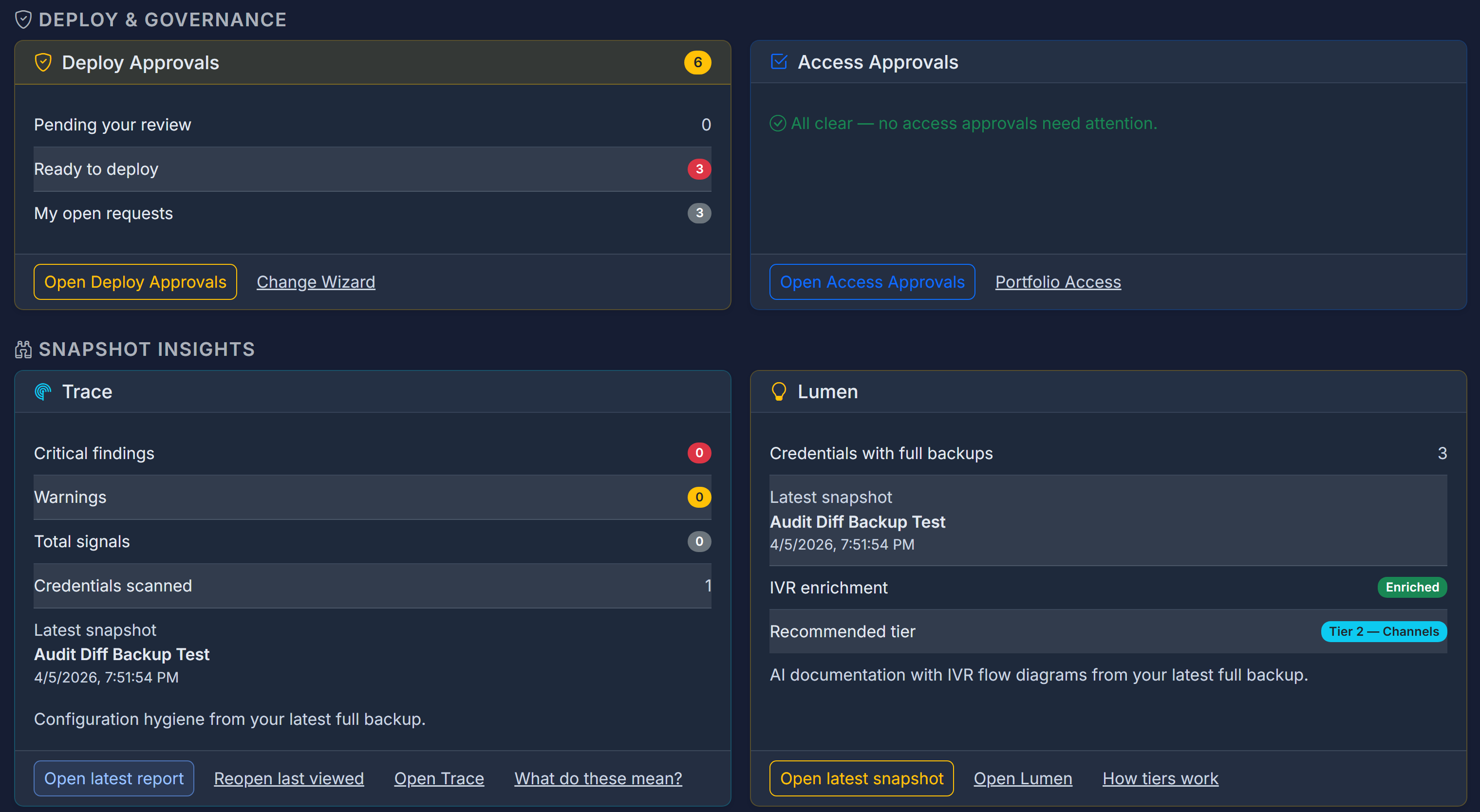
Trace compounds with the rest of the platform: it reads the same full backups as 9Vault backup, feeds restore selections into Spark / Change Wizard workflows, shows up in Lumen hygiene counts and CAB briefs, and informs what you promote through Relay.
Who it’s for
Ops leads preparing for audits or major changes
You need a dated answer to “what’s unused, what’s broken, and what depends on what?” Trace produces that pack from a backup — filterable findings and exportable evidence — before the cleanup project starts or the auditor asks.
Delivery teams scoping a change
Before you promote or restore a campaign, use Impact to expand the real dependency neighborhood and send that closure into the Change Wizard. Fewer “we forgot the skill” surprises mid-window.
MSPs running hygiene across portfolios
The same analysis pattern on every customer domain: full backup → Trace report → cleanup tray / export. Client-ready PDF evidence of estate state without inventing a custom spreadsheet per engagement. Pair with Fuse so only the right engineers act on the findings.
FAQ
Is this a Five9 product?
No — 9Vault is an independent product from 9Vault, LLC, built for teams that run Five9. Trace analyzes configuration you already back up in 9Vault; your Five9 relationship stays exactly as it is.
Does Trace call Five9 live or use AI?
No. Trace scans a completed full backup snapshot. Findings are aggregated from that graph — deterministic codes and severities, not generative guesses, and not a live poll of production.
Will Trace delete unused objects for me?
No. The cleanup tray is for review packs, not destructive delete. You decide what to change — in Spark, in the Change Wizard, or in Five9 — with the findings as your map.
What’s the difference between Dependency map and Impact?
Dependency map is about IVR/script call relationships from forensics analysis. Impact is about restore-relevant object references from the backup’s bundle.json. Both draw small neighborhoods only — never the full estate at once.
Can I run Trace on a partial backup?
No. Like Lumen documentation, Trace requires a completed full backup so findings aren’t missing half the estate.
Know what’s unused before the next change window
Tell us about your estate size and cleanup goals — we’ll walk Trace on a real full backup.
Contact 9Vault