Why Five9 configuration backup matters
Contact center configuration is operational risk in disguise. A bulk edit, a shared IVR change, a weekend cutover, or a well-intentioned “quick fix” in PROD can take hours to reverse — hours your queues, agents, and customers feel — when the only record is tribal knowledge and yesterday’s spreadsheet.
Native admin tools are built for making changes, not for answering “what did this look like before?” 9Vault gives you that answer on demand: scheduled, encrypted snapshots of your entire domain that you can search from inside 9Vault, diff against your live environment, and restore — turning what used to be an all-hands incident into a lookup and a click.
What 9Vault backs up
9Vault captures configuration across your Five9 domain — the object types that define how your contact center routes, staffs, and behaves. Coverage spans 50+ object types, including the ones your team touches every week: skills, campaigns, users, dispositions, IVR scripts, lists, profiles, and related domain settings.
These aren’t inert archive files. Every snapshot is a live, structured data source inside 9Vault — searchable object by object, comparable against your current environment in Diff Check, and ready to feed a restore or a promotion pipeline. Credentials are encrypted with AES-256 and shared across every core, so backup sits in the same secured workspace as promotion, bulk ops, and governance.
How a backup job works
-
Connect your Five9 credentials
Add the API credentials for each domain you manage. Secrets are encrypted at rest; multi-domain teams keep everything in one workspace with scoped access. -
Choose scope and schedule
Run on demand when you need a freeze point, or set a cron schedule for continuous protection. Pick cloud (GCP) or local export delivery for your retention model. -
Put the snapshot to work
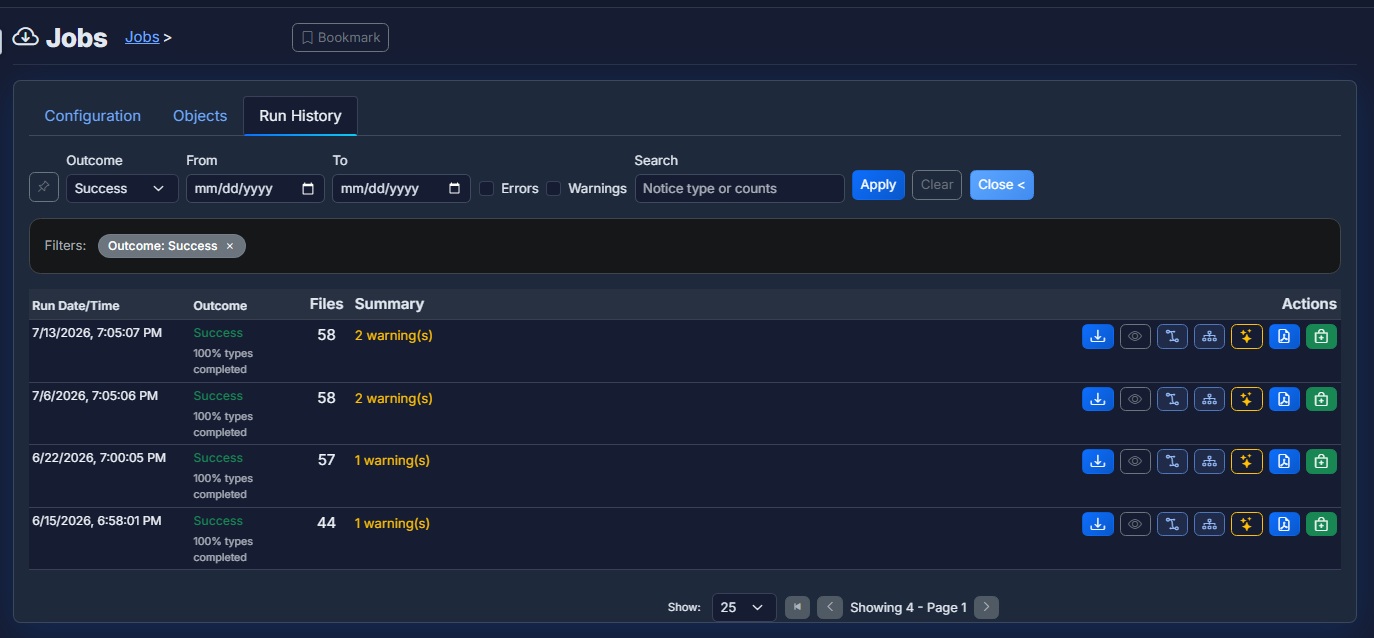
Live job progress and completion alerts tell you when a run is done. From there, search any object across the snapshot, run Diff Check against live or another point in time, export for retention, restore what changed — or hand a known-good package into Relay for promotion.
What you can do with snapshots
This is where 9Vault separates itself from “we export some JSON sometimes.” A snapshot isn’t the end of the workflow — it’s the start of one.
Search any point in time
Open any run as a data source and search it like a live domain — find the skill, campaign, or IVR state you need in seconds, not by digging through zip files.
Diff Check against live
Compare any snapshot against your live environment — or against another point in time — and see exactly what changed before you decide what to do about it.
Restore with confidence
Bring configuration back through controlled restore workflows, with protective-snapshot rollback on differential restores so the fix itself is reversible.
AES-256 encrypted vault
Credentials and backup payloads are encrypted end to end — your configuration history is an asset, not a liability sitting on a folder share.
Scheduled runs with alerts
Cron-based cadence for continuous protection, one-click runs before change windows, and completion alerts so silent gaps never surprise you mid-incident.
Cloud or local export
Deliver snapshots to GCP storage or keep local archives — retention that fits your security team’s model, not the other way around.
And because every snapshot is shared infrastructure, backup compounds across the platform: Relay promotes frozen packages through DEV / UAT / PROD, Spark quick-compares live vs backed-up objects, and Lumen / Trace read the same history for AI documentation and estate hygiene.
Who it’s for
Technology leaders who own the risk
If the contact center is on your P&L, configuration drift is on your risk register — whether it’s written down or not. 9Vault gives you an audit-ready answer to “what changed, when, and can we get it back?” without adding headcount or process overhead. Your team keeps moving fast; you keep a durable record.
Contact center and operations managers
You own one production domain (and maybe a UAT) and the pager when routing breaks. 9Vault is the quiet insurance policy: scheduled snapshots, instant search when something drifted, a diff that shows exactly what moved, and a clean restore when a change goes sideways at 4:55 on a Friday.
MSPs and multi-domain teams
You operate many customer domains, and consistency is the product. 9Vault scales with a multi-domain workspace and shared encrypted credentials — backup posture that’s uniform across every tenant instead of reinvented per engagement. Pair it with Fuse when you need portfolio-scoped write control on top.
FAQ
Is this a Five9 product?
No — 9Vault is an independent product from 9Vault, LLC, built for teams that run Five9. Your Five9 relationship stays exactly as it is; we add a layer of protection and tooling on top of the domain you already operate.
Does 9Vault back up call recordings or CRM data?
9Vault focuses on Five9 configuration — the objects that define how your contact center is set up. It is not a call-recording archive or a CRM database backup.
Can I restore to another domain?
Restore workflows support bringing configuration back in controlled ways, including cross-domain scenarios where your process allows it. Promotion across environments is handled by Relay using frozen packages from a known backup.
How is this different from exporting objects manually?
Manual exports are ad hoc, easy to skip, and dead on arrival — a file you can’t query. 9Vault makes protection scheduled, encrypted, and alerted, and every snapshot stays usable: searchable inside 9Vault, comparable in Diff Check, and restorable. A reliable timeline you can act on, not a folder of inconsistently named zip files.
Protect your Five9 configuration before the next change window
Tell us about your domains and we’ll scope backup, retention, and onboarding — most teams are protected within a day.
Contact 9Vault